


AI Browsers 2026: New Tools That Can Browse and Complete Tasks for You
- Blog Artificial Intelligence Industry Trending News
- Entrepreneurs Story News
- November 5, 2026
- 11
- 18 minutes read
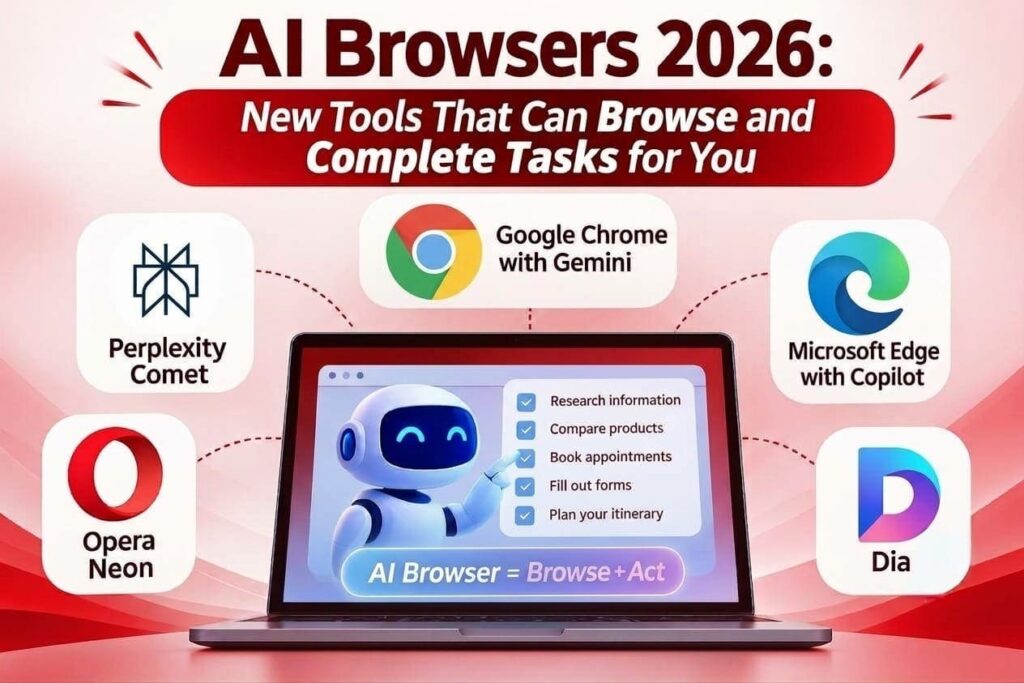
Think about how much time you spend on the internet every day doing small, boring tasks. Filling forms, comparing prices on five different sites, booking tickets, copying data from one portal to another. Now imagine telling your browser, “Do this for me”, and it actually does it. That is the big idea behind AI browsers 2026.
A normal browser just opens web pages. You do all the clicking and typing. The new agentic web browsers are different. Powered by artificial intelligence, they can understand what you want, open the right pages, click buttons, fill forms and finish the task, while you keep control of the important steps.
In this article, we’ll explain how these browsers work, look at the main options available today, and talk honestly about where they help and where you need to be careful.
From Simple Tabs to Browsers That Take Action
For years, companies used older automation technology like robotic process automation (RPA) and browser extensions to automate web work. These tools followed fixed scripts. But they were fragile. If a website changed its layout a little, or a pop-up appeared, the script would break.
Agentic web browsers work differently. They use AI to “read” a web page the way a person does, by looking at its text and layout. So, they can handle small changes, understand confusing form fields and try again when something doesn’t work. You simply type what you want in plain language, and the browser plans the steps.
How AI Browser Automation Tools Work
Most AI browser automation tools follow three simple steps:
- Understand the page: The AI looks at the page’s content and layout to find buttons, links and form fields.
- Plan the steps: It breaks your request into small actions, for example: open the portal, log in, filter by date, download the report. This planning is smart but not 100% predictable, so mistakes can happen.
- Take action: It clicks, types and moves between pages inside your own browser, using the accounts you’re already logged into. This helps on websites that don’t offer an easy way (API) to connect with other software.
Because these browsers act inside your logged-in accounts, they ask for your confirmation before important steps like payments or posting something publicly.
Leading AI Browsers You Should Know This Year
There are a few big names in this space right now. (OpenAI’s ChatGPT Atlas browser was shut down in August 2026, after OpenAI announced plans to bring its features into one ChatGPT desktop app.)
1. Perplexity Comet
Comet is Perplexity’s AI browser. It became free for everyone in October 2025 and is now available on Windows, Mac, Android, and iPhone. Its built-in assistant can research topics, summarise pages, compare products, and help with tasks like shopping and filling forms.
- Advantages: Free to download, works on all major devices, and is strong at research.
- Best use: Students, professionals, and small business owners who want one AI browser on both laptop and phone.
Some advanced features, like the Background Assistant that runs several tasks at once, need a paid Perplexity plan. Many Indian users may already have Perplexity Pro, as Airtel offered it free to its customers for 12 months from July 2025.
2. Google Chrome with Gemini (Auto Browse)
Google has added Gemini to Chrome. Its agent feature, called Auto Browse, launched on desktop in January 2026 and on Android in August 2026. It can book appointments, update orders, or plan travel for you.
- Advantages: Built into the world’s most-used browser, works well with Google apps, and asks you to press the final “buy” or “post” button yourself.
- Best use: People and teams already using Google services.
One important point for Indian readers: auto browse is currently available only to Google AI Pro and AI Ultra subscribers in the US, with a daily limit on tasks.
3. Microsoft Edge with Copilot
Microsoft Edge has Copilot built in. In May 2026, Microsoft retired the separate “Copilot Mode” and moved its features into Edge itself. The agent feature, now called “Browse with Copilot”, can carry out tasks on websites for you.
- Advantages: Already installed on most Windows PCs, and Copilot can read across your open tabs to compare options.
- Best use: Windows and Microsoft 365 users.
Note: “Browse with Copilot” is currently limited to Microsoft 365 Premium subscribers in the US.
4. Dia
Dia is an AI browser built for work. It comes from The Browser Company (makers of Arc), which Atlassian, the company behind Jira and Confluence, agreed to buy for about $610 million in September 2025.
- Advantages: Uses AI “skills”, remembers your work context, and understands what’s in your open tabs.
- Best use: Office teams that work across many web apps every day.
5. Opera Neon
Opera Neon is Opera’s agentic browser. Its “Neon Do” feature can complete multi-step tasks like shopping, booking, or research, and you can watch it work and take over at any time.
- Advantages: Reusable “Cards” for repeated tasks, plus tools to build your own AI agents.
- Best use: Power users who want to experiment with AI agents.
Unlike most browsers, Neon is a paid product at $19.90 per month.
Where AI Web Agents for Task Automation Help the Most
AI browsers that complete tasks for you are most useful for repetitive web work. Some common examples:
- Buying and vendor checks: Compare suppliers across different portals, check prices and documents, and prepare a draft purchase request.
- Market research: Collect information from public websites and dashboards and turn it into a short summary.
- Moving data between old systems: When an old internal tool has no API, AI web agents for task automation can copy data from one screen to another, but someone should still check the results.
- Customer support: Check a courier website for a delivery status, update the ticket, and draft a reply for a human to review.
Security Risks You Must Know
These tools are powerful, but they also bring new risks. In December 2025, research firm Gartner even advised companies to block AI browsers for now, until they could properly check the risks. Here’s what to watch out for:

- Prompt injection: A website can hide secret instructions in its text to trick the AI into doing something you didn’t ask for, like sharing data.
- Too much access: Since the browser works inside your logged-in accounts, an agent with wide access could make a costly mistake. Give it only the access it needs.
- Data sharing: AI features may send page content and open tabs to the company’s cloud servers. Don’t keep sensitive pages open while using the AI assistant.
- Wrong actions: Artificial intelligence can still make mistakes, like filling in a form wrongly or booking the wrong date. Always confirm payments, public posts, and password changes yourself.
Conclusion
AI browsers in 2026 show where the web is heading: from browsers that only show pages to browsers that get work done. Comet is the easiest to try in India today, while Chrome’s and Edge’s agent features are still limited to paid users in the US.
These tools can save a lot of time, but they’re still learning. Start with low-risk tasks, monitor what the agent does, and always approve payments yourself. As the technology improves, autonomous web browsing tools will become a normal part of everyday work.
Frequently Asked Questions (FAQ’s)
1. How are AI browsers 2026 different from normal browsers?
Normal browsers only open pages; you do the work. AI browsers can understand your request, plan the steps, and complete tasks for you, while asking for your approval at important steps.
2. Are agentic web browsers safe for office data?
They can be, with the right settings. Limit what the agent can access, don’t keep sensitive pages open, and check your company’s IT policy first, as some companies block them.
3. Can AI browser automation tools replace RPA?
For many changing websites, yes. But for very fixed, high-volume tasks, traditional RPA is still more predictable. Many companies use both.
4. What tasks can AI web agents for task automation handle?
Research, comparing prices, filling forms, copying data between websites, checking order status, and booking appointments.
5. Are autonomous web browsing tools safe for payments?
Good tools ask you to confirm before any payment or money transfer. Never let an agent pay or share card details without checking first.
6. Which are the best AI browsers that complete tasks for you?
Perplexity Comet (free, all devices), Chrome with Gemini auto-browse, Microsoft Edge with Copilot, Dia for office work, and Opera Neon for power users. Note that Chrome’s and Edge’s agent features are currently US-only and paid.